Model load-sharing redundancy
Before you start: Failure data gathered at two or more load levels, so you can fit a load-life model.
Three pumps share a duty. One fails, and the other two don't carry on as before — they each pick up more of the load, run harder, and start using up their remaining life faster. When the second goes, the last one carries everything.
Ordinary parallel redundancy can't see any of that. It assumes each unit ages at a fixed rate regardless of what its neighbours are doing, which makes it optimistic exactly where it matters most: in the tail, where the survivors are working hardest and the failures cascade. If your units split a common load — pumps, cables, fasteners, power supplies — load-sharing is the honest model.
The prerequisite: a load-life model
Load-sharing needs to know something ordinary redundancy doesn't: how a unit's life responds to load. Without that, there's no way to say what happens when the load per unit goes up.
So before you can add a load-sharing block, you need an accelerated-failure-time (AFT) model with load as its single covariate. In practice that means failure data gathered at more than one load level. Fit it under Modelling → New model → Fit to data: in the Data step choose your failure times as Time to failure or removal, open Advanced (regression): covariates and add your load column; then in the Model step choose an AFT model — Weibull AFT is the usual starting point.
If you've done accelerated life testing with load as the stress, you already have exactly this data. It's the same relationship viewed from a different angle: ALT uses it to extrapolate down to use conditions, load-sharing uses it to extrapolate up as survivors take on more.
Adding the block
In the RBD builder (a non-repairable diagram), choose + Add block → Load-sharing, then double-click the new block to configure it:
- Load-life model — the saved AFT model from above.
- Total shared load — the load the group carries between them. Each of the
s survivors carries
L / s. - Number of units — how many are in the group.
- Units required (k) — how many must survive for the group to work.
k = 1means any one can carry the duty alone; higher values mean the group fails earlier.
The block shows a summary (3 units · load 3 · k=1) so the configuration is
visible on the canvas without opening it.
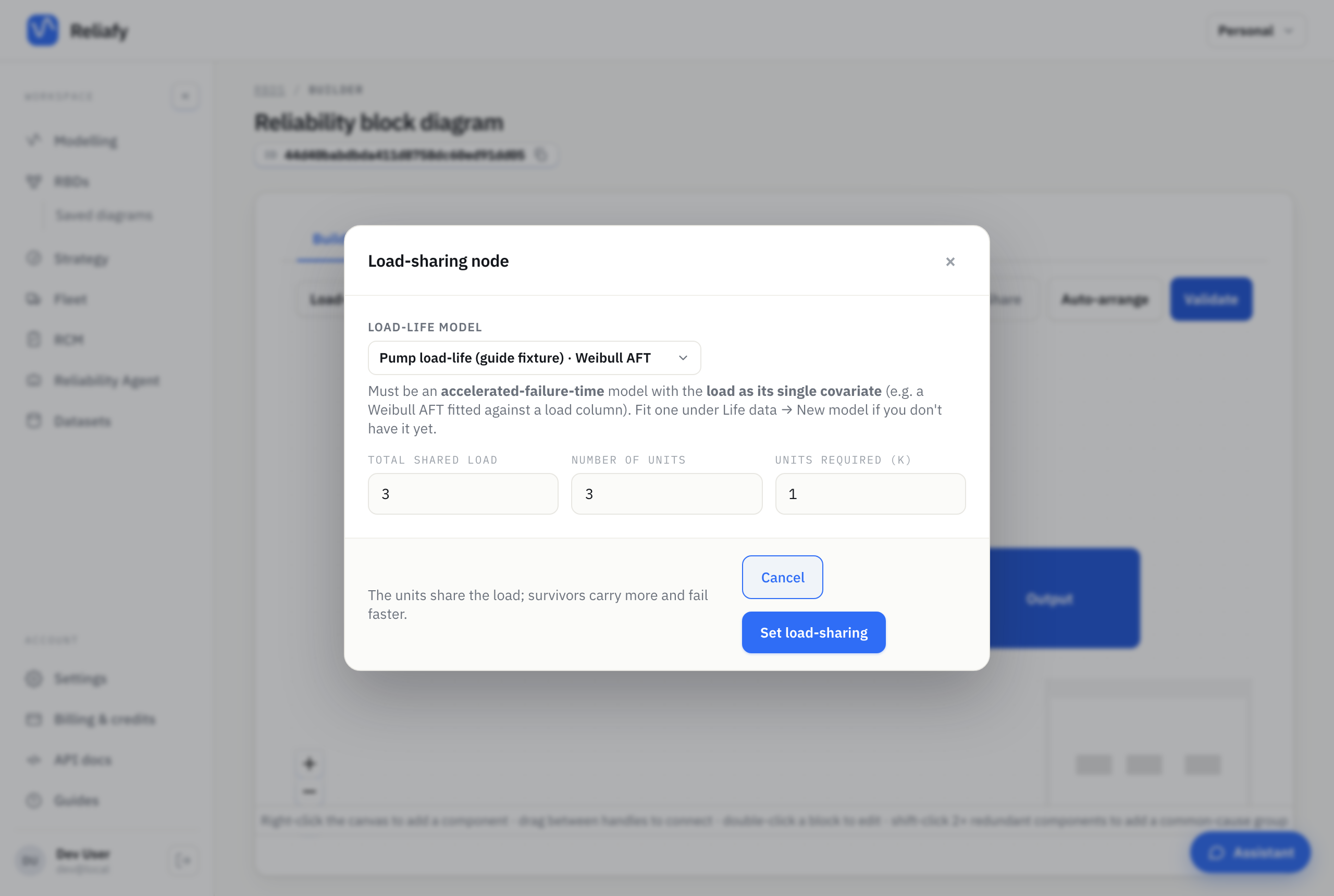
Reliafy validates the model you pick. If it isn't an AFT model, or has more than
one covariate, you'll get told directly rather than getting a plausible-looking
wrong answer — the maths genuinely requires phi(load), a single scalar stress.
Reading the result
The system reliability curve will start out looking much like ordinary redundancy and then fall away faster through the tail. That divergence is the cascade: each failure raises the load on whoever's left, which brings the next failure forward.
Raising k lowers reliability further, and for a reason worth internalising — it's not just that you need more survivors, it's that you have less slack before the accelerating hand-off starts to bite.
If you want a feel for how much this matters for your system, build the same group both ways — once as plain parallel blocks, once as a load-sharing node — and compare the curves. The gap is what plain parallel redundancy was quietly crediting you with.
Where to go next
The mechanism, the load redistribution maths, and how load-sharing differs from standby redundancy are covered in the Learn article on load-sharing.
If your interest in the load-life relationship is extrapolating to lower stress rather than higher, that's accelerated life testing.